Nothing to code
The code is added to your public pages automatically. You touch no file, and a theme update breaks nothing.
Two minutes in wp-admin. Your stats start running, no cookies, no banner.
€8 per month — 200,000 pageviews, 10 sites. Ex. VAT, 14-day trial, no card.
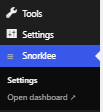
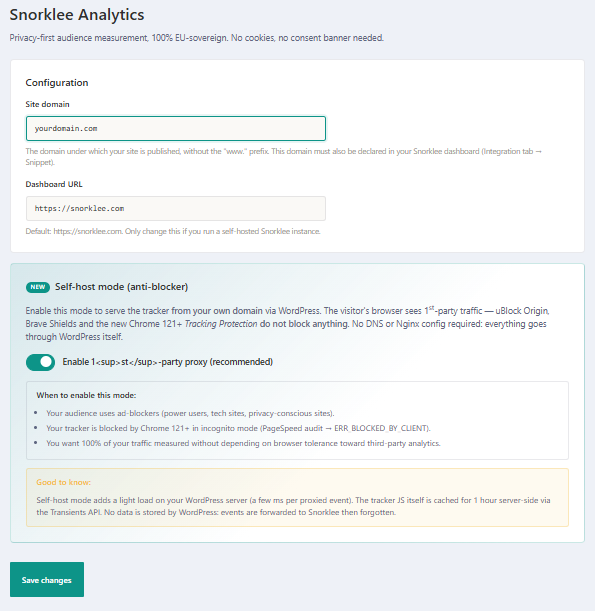
The code is added to your public pages automatically. You touch no file, and a theme update breaks nothing.
The code is served from your own domain, so blockers let it through. A full relay mode also exists, but then Snorklee no longer sees country or region. The plugin states that cost before you choose.
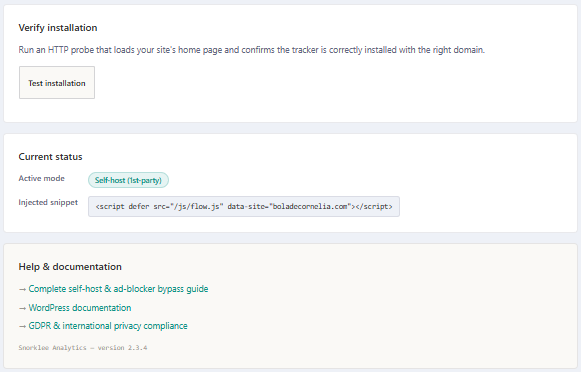
One click checks live that everything is in place: the right site, the right mode.
Server-side, the plugin also spots the known AI robots that come and read your pages.
Connect your accounts. Clicks, impressions and positions land next to your visitors.
You authorize Snorklee from your own Google account, in a few clicks. Your queries, pages and positions land in the dashboard.
Paste the API key from your Bing account: the second engine shows up in the same screen. Few tools bother to fetch it.
Snorklee never pushes anything to Google or Microsoft. It reads your search stats, nothing else. You can disconnect whenever you want.
Search Console and Bing Webmaster remain outside services: these two sources sit outside Snorklee's European perimeter. You switch them on, or not — the rest of the measurement does not depend on them.
Create your site in Snorklee, install the plugin, run the test.